Choosing the Right Summer Welcome Sign Mockup PSD for Your Event Stationery
When presenting event stationery to clients or showcasing a new design portfolio, the difference between a flat digital file and a realistic presentation often determines perceived value. A Summer Welcome Sign Mockup PSD serves as a critical bridge between a designer's concept and a client's visualization of the final product. Specifically, templates featuring a clean vertical poster layout on a rustic easel have become a staple for wedding, bridal, and baby shower signage. However, not all mockup resources offer the same level of utility or realism. Understanding the distinct features of high-quality smart object files versus generic alternatives is essential for designers aiming to elevate their shop or professional presentation.
Defining the Value of Smart Object Integration
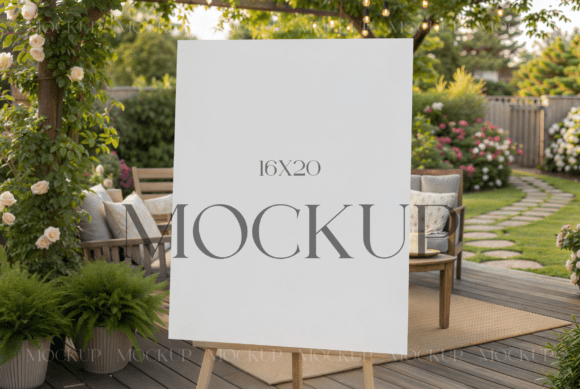
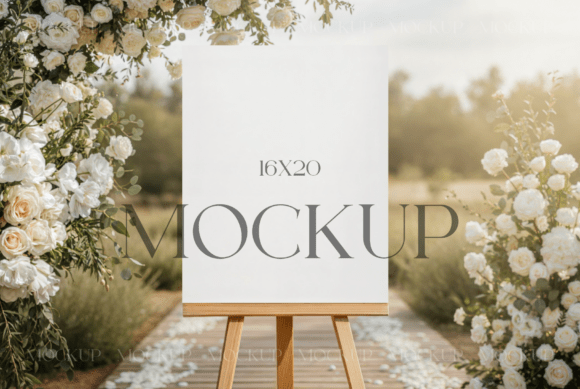
The core functionality that distinguishes a professional Summer Welcome Sign Mockup PSD from a basic image overlay is the use of Smart Objects. In the context of event stationery, this feature allows users to insert their 16x20 design directly into a pre-lit, textured environment without manually warping perspectives or adjusting lighting effects. When you launch Photoshop and double-click the smart object layer, the software isolates your graphic, allowing you to drag, drop, and align it with the card's dimensions seamlessly.
This technical approach offers significant advantages over manual editing. First, it preserves the integrity of the original design file. Second, it automatically applies the environmental lighting, shadows, and surface textures of the rustic easel to the inserted artwork. For a designer managing multiple client revisions, this efficiency is invaluable. Instead of recreating shadows for every color variation or font change, the mockup handles the photorealistic rendering instantly. The result is a high-resolution JPG, typically around 4000x3000 pixels at 300 DPI, which is suitable for both web portfolios and high-quality print proofs.
Comparing Presentation Styles: Rustic Easel vs. Flat Lays
While the rustic easel style is popular for summer events, it represents just one category of presentation tools. Designers often weigh the benefits of vertical standing displays against flat lay compositions or hand-held perspectives. The decision largely depends on the specific narrative of the event brand.
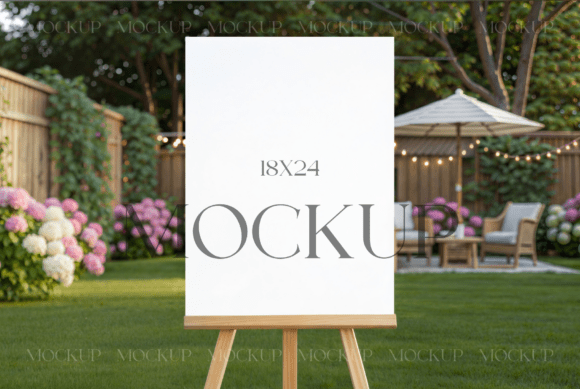
A vertical poster layout on a rustic easel evokes a sense of tradition and warmth, making it particularly effective for outdoor weddings, vineyard receptions, or garden parties. The texture of the wood and the natural lighting implied in these scenes suggest an organic, welcoming atmosphere. In contrast, flat lay mockups, where the sign rests on a table surrounded by florals or cutlery, provide more context regarding the tabletop arrangement but may obscure the full readability of the welcome message.
Furthermore, hand-held mockups introduce a human element, suggesting scale and interaction, but they can sometimes distort the typography if the angle is too severe. The standing easel format offers a balanced compromise: it provides a clear, unobstructed view of the typography and layout while grounding the design in a realistic physical setting. For minimalist frame displays, this clarity is paramount, as it allows the typography and negative space to breathe without visual clutter.
Evaluating Resolution and Print Readiness
One often overlooked factor in selecting a mockup resource is the output resolution. Many free or low-cost templates provide files optimized only for screen display, usually at 72 DPI. While adequate for social media thumbnails, these files fail when a client requests a large-format proof or when the image needs to be cropped for detailed inspection. A robust Summer Welcome Sign Mockup PSD should deliver files at 300 DPI with dimensions exceeding 3000 pixels on the shortest side.
This high resolution ensures that when the final JPG is generated, the edges of the paper, the grain of the wood, and the subtle shadows remain crisp. For professionals selling stationery designs, this level of detail reinforces the perception of quality. If a mockup appears pixelated upon zooming, it inadvertently casts doubt on the quality of the actual stationery design being presented. Therefore, verifying the technical specifications—such as the inclusion of a 4000x3000px JPG alongside the editable PSD—is a crucial step in the evaluation process.
Practical Workflow and Customization Limits
Integrating a mockup into a workflow should streamline production, not complicate it. The standard process involves launching Photoshop, accessing the smart object, adjusting the image size to align with the canvas, and saving. However, users must also understand the limitations inherent in template usage. Most licensing agreements for these digital files permit modification of the image and the application of filters to align with branding requirements. This flexibility allows a designer to adjust the warmth of the sunlight or the contrast of the wood to better match their specific color palette.
Nevertheless, there are boundaries. It is important to note that reselling the work like a mockup is generally not permitted. The license is intended for incorporating the mockup into business or personal projects to display one's own designs. Additionally, the stationery designs seen in preview images are for display purposes only and are not included in the purchase. Users must supply their own 16x20 artwork. Understanding these terms prevents legal misunderstandings and ensures ethical use of creative assets.
When to Choose This Format Over Alternatives
Determining whether a Summer Welcome Sign Mockup PSD is the right choice depends on the target audience and the nature of the event. If the client is planning a modern, industrial-themed wedding, a rustic easel might feel disjointed unless heavily edited. In such cases, a sleek metal stand or a minimalist wall-hanging mockup might serve as a better alternative. Similarly, for digital-only invitations where no physical print is involved, a purely digital device mockup (tablet or phone) would be more appropriate than a physical signage template.
However, for traditional printing shops and independent stationery designers, the physical realism of an easel mockup remains unmatched. It helps clients visualize how the sign will look at the venue entrance, providing reassurance about size, legibility, and aesthetic cohesion. The trade-off is the requirement for Photoshop; users without access to Adobe Creative Cloud cannot utilize PSD smart objects. For these individuals, browser-based mockup generators might offer a viable, albeit less customizable, alternative.
Making an Informed Decision
Selecting the right presentation tool is a strategic decision that impacts how your work is perceived. A high-quality Summer Welcome Sign Mockup PSD offers a blend of efficiency, realism, and professional polish that is difficult to replicate manually. By prioritizing features like smart object integration, high-resolution outputs, and appropriate stylistic themes, designers can ensure their stationery is displayed to its fullest potential.
Ultimately, the goal is to choose a resource that enhances the design rather than distracting from it. Whether utilizing a rustic wooden frame for a countryside wedding or opting for a cleaner aesthetic for a modern celebration, the mockup should serve as a silent ambassador for the quality of the work. By carefully evaluating the technical specs, licensing terms, and stylistic fit, professionals can confidently incorporate these tools into their repertoire, knowing they are providing clients with a clear and beautiful vision of their upcoming event.